


As I mentioned, apart from changing what I eat I also need to do more exercise and track it.
I bought some Nike runners a few months ago and also got the Nike+ Sportband. The sportband looks very like a watch:
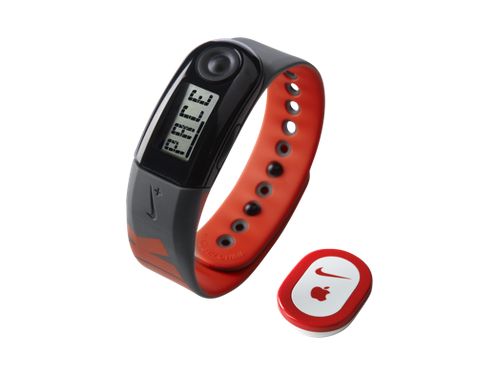
Nike+ Sportsband and sensor
The little sensor fits into a compartment in the sole of the Nike runners.
In order to be able to use the sportsband you first need to download the software from the Nike website. There are versions available for both Windows and OSX, though none for Linux, though I guess that’s not that surprising.
I downloaded the software and plugged in the device (the business part of it has a USB connection)
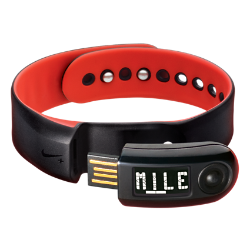
Nike+ sportsband USB connection
Updating the firmware on the device was easy, as was setting the time and a couple of other options. The problems arose when I tried to link the device to my Nike+ account.
For some stupid reason the desktop application won’t recognise that I’ve logged in, so it’s not able to sync the data!
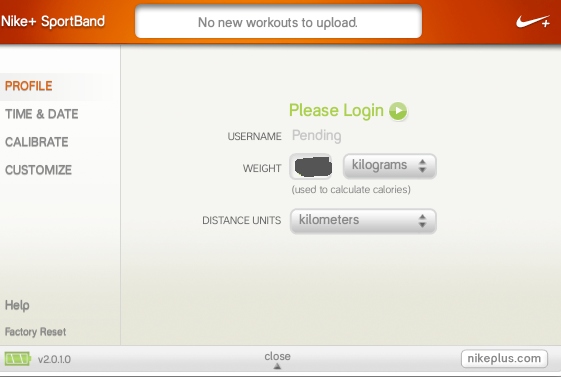
Fortunately there is an iPhone app which seems to do almost the same thing, so I was able to use that during my walk this afternoon, but obviously I’d prefer to use the device that I paid for!
If I can’t get the sportsband to work properly I can use the iPhone app for now. Not ideal, but it’ll have to do.
Related articles
- Tracking Physical Exercise (fat.ie)
- Top 10 Fitness Gadgets to Help Keep Your New Year Resolution (gadgetynews.com)
- Nike apologizes for Nike+ issues, promises new platform (ipodnn.com)


Leave a Reply